GCNN: Graph Convolutional Neural Network

The GCNN network was introduced for the first time in this paper. DUNEdn adapts the architecture to work with ProtoDUNE-SP Raw Digits.
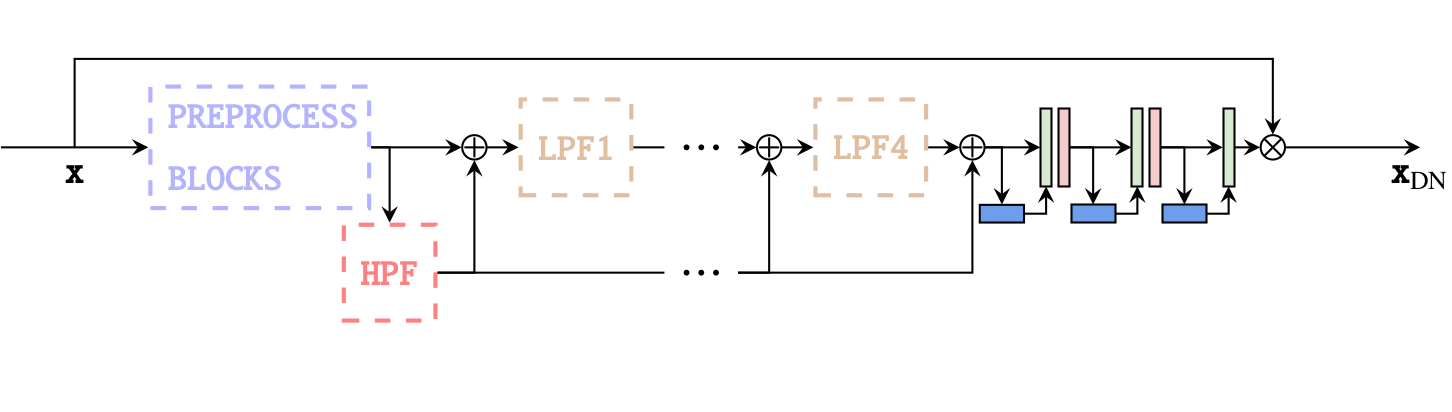
The GCNN network. Preprocessing blocks output are connected to High Pass (HPF) and Low Pass Filters (LPF), gradually clean the inputs with the help of residual connections.
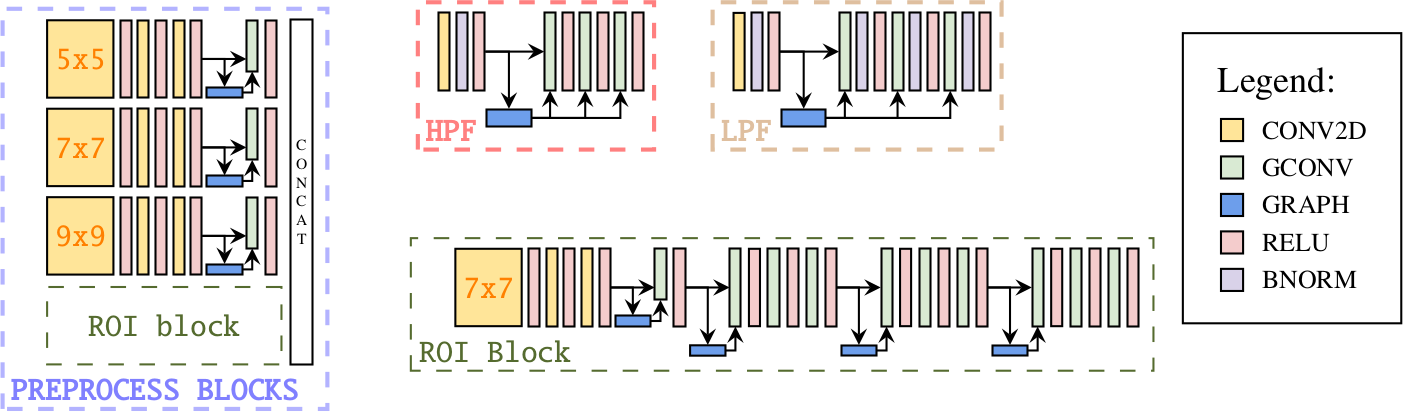
The GCNN network blocks.
The core layer of GCNN network is the Graph Convolution operation (GCONV). Its
goal is to enhance the pixels receptive field by building a KNN-graph internally
(default is k=8).
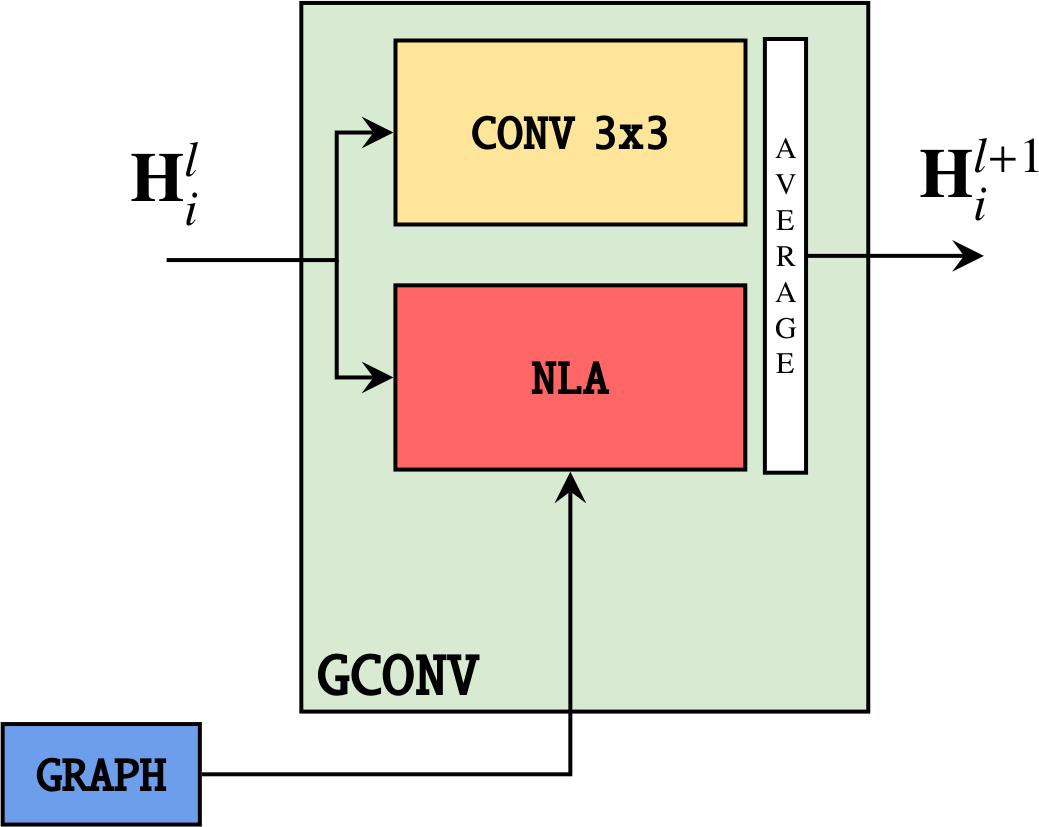
The GCONV layer. The output representation is the average of a convolution with a 3x3 kernel and a Non Local Aggregation (NLA) operation based on the KNN-graph. Each pixel is connected to the K closest pixels in feature space.
Besides the GCNN, the DUNEdn package implements a similar network called CNN with the same architecture as the GCNN, but exploiting regular 2-D Convolutions in place of of Graph Convolution operations.
The experiments show that the GCNN achieves improved accuracies, at the price of some computational speed.
Instantiating a GCNN
High level network
The inference submodel implements classes for making inference easily on ProtoDUNE-SP simulated event in numpy format.
Internally, the class stores two networks to process induction and collection APAs, respectively.
The following snippet shows how to make inference with the DnModel:
from dunedn.utils.utils import load_runcard
from dunedn.inference.hitreco import DnModel

settings = load_runcard("path_to_runcard.yaml")
# modeltype can be both "cnn" or "gcnn"
modeltype = "gcnn"
model_setup = setup["model"][modeltype]
network = DnModel(setup, modeltype)
Note that the network object is initialized with random weights. In order to
load weights from checkpoints, pass the ckpt=<folder> kwarg to the object
constructor.
Refer to this notebook for a usage example.
Low level network
A single GCNN can also be instantiated by first loading the needed setup settings
from a runcard and then calling the load_and_compile_gcnn_network function:
from dunedn.utils.utils import load_runcard
from dunedn.networks.gcnn.training import load_and_compile_gcnn_network

settings = load_runcard("path_to_runcard.yaml")
# modeltype can be both "cnn" or "gcnn"
modeltype = "gcnn"
model_setup = setup["model"][modeltype]
network = load_and_compile_gcnn_network("collection", model_setup)
The network object is of type GcnnNet.
GCNN submodule documentation is available at